
If an applicant has been unsuccessful and you would like to remove them from your Applicants page, you can archive your applicant and send them an email to inform them.
How to archive an applicant
- When you login to your River dashboard, click Applicants.
- Click the checkbox located on the left hand side of the applicant you would like to archive.
- The applicant details will automatically move to the top of the screen and two new buttons will appear above it. Click Actions.
- Click Archive.

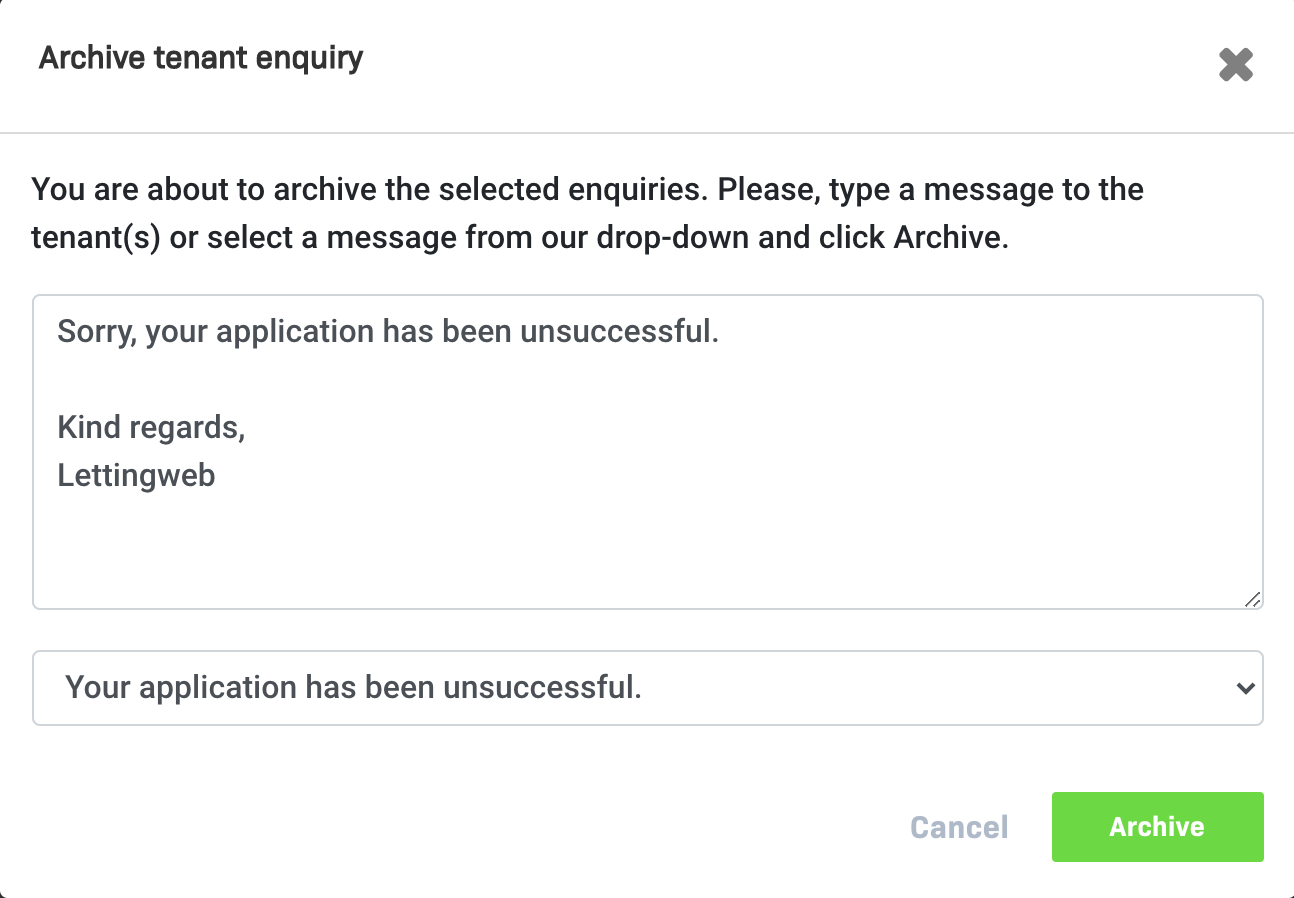
5. You will then be prompted to insert a message to be included in an email sent to the applicant, notifying them that they are no longer being considered for the property. You can choose to either input your own message to the applicant, insert one of our preset messages, or not send an email at all.
a ) If you click one of our preset messages, you can further edit this yourself in the text box.
b) If you select “Do not send a message to the tenant”, they will not receive an email notification.
6. When you are satisfied with the message that appears in the text box, click the green Archive button.
7. This applicant/enquiry has now been archived.
Comments
0 comments
Please sign in to leave a comment.