
You may wish to view or unarchive a previously archived applicant or enquiry.
How to view an archived applicant/enquiry
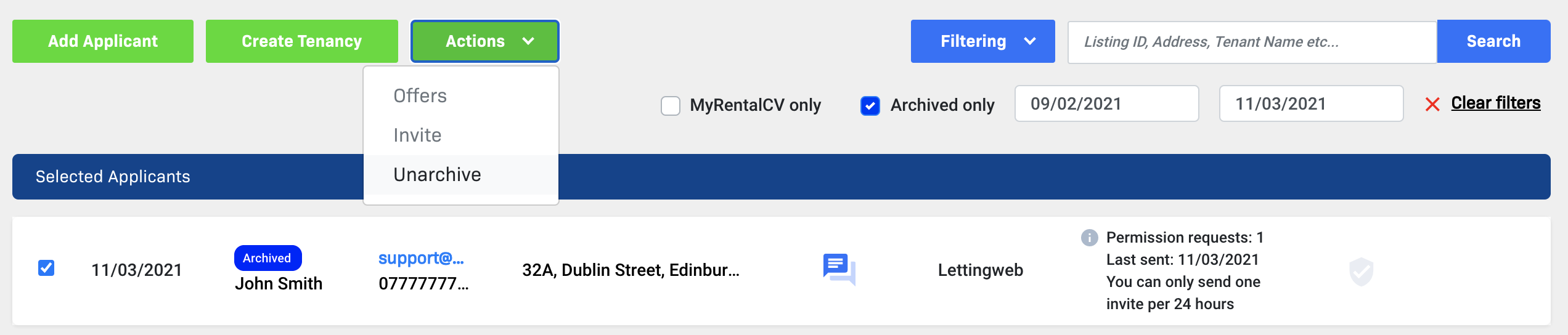
1. Click the blue Filtering button at the top of your Applicants page.
2. Click the checkbox next to Archived only, select your date parameters and click Search in the top right hand corner.

3. Your archived enquiries/applicants will now appear in a list on your applicant management dashboard.
How to unarchive an archived applicant/enquiry
1. Click the checkbox located on the left hand side of the applicant you would like to unarchive.
2. The applicant details will automatically move to the top of the screen and two new buttons will appear above it. Click Actions.
3. Click Unarchive.
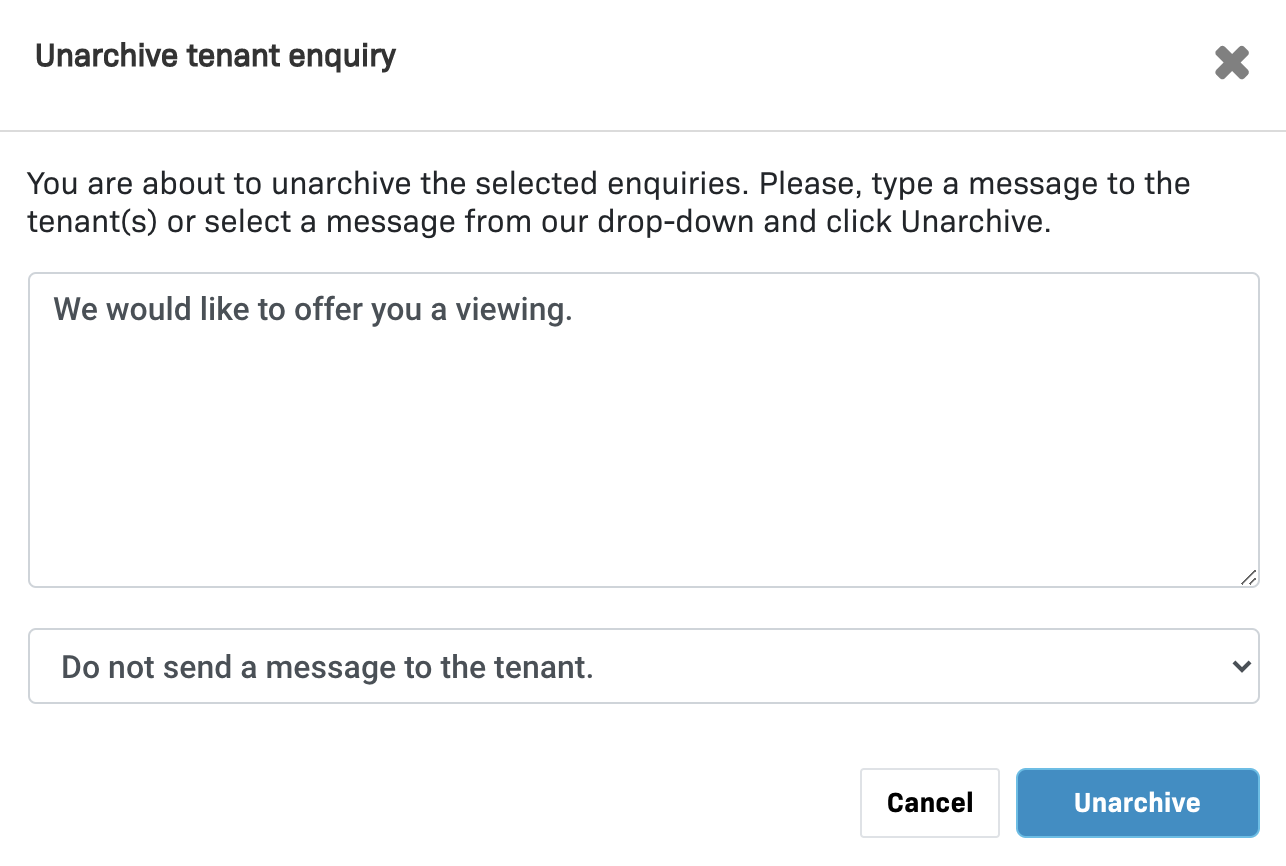
4. You will then be prompted to insert a message to be included in an email notification sent to the applicant. If no message is entered, the applicant will not receive an email.
5. When you are satisfied with the message that appears in the text box, click the Unarchive button.
6. The applicant/enquiry has now been unarchived and will appear on your applicant management dashboard.
Comments
0 comments
Please sign in to leave a comment.